Quick Answer
No, laser printers do not use ink. Instead, they use toner — a fine, dry powder made of polyester particles. Toner is fused onto paper using heat and an electrostatic charge, not sprayed like liquid ink. This means laser printers never clog, toner does not dry out, and the cost per printed page is significantly lower than inkjet.
The name "laser printer" gives nothing away about what goes inside it, so it is easy to assume it works like any other printer. Most people picture liquid ink — but that assumption leads to the wrong cartridge, wasted money, and a lot of confusion at the checkout. This guide clears up exactly what a laser printer uses instead of ink, why it matters, and what it means for your budget and printing habits.
No — Laser Printers Use Toner, Not Ink
The answer is straightforward: a laser printer does not use ink in any form. It runs entirely on toner, and the two are not interchangeable. Understanding that difference is the first step to buying the right supplies and getting the most out of your machine.
What Is Toner, Exactly?
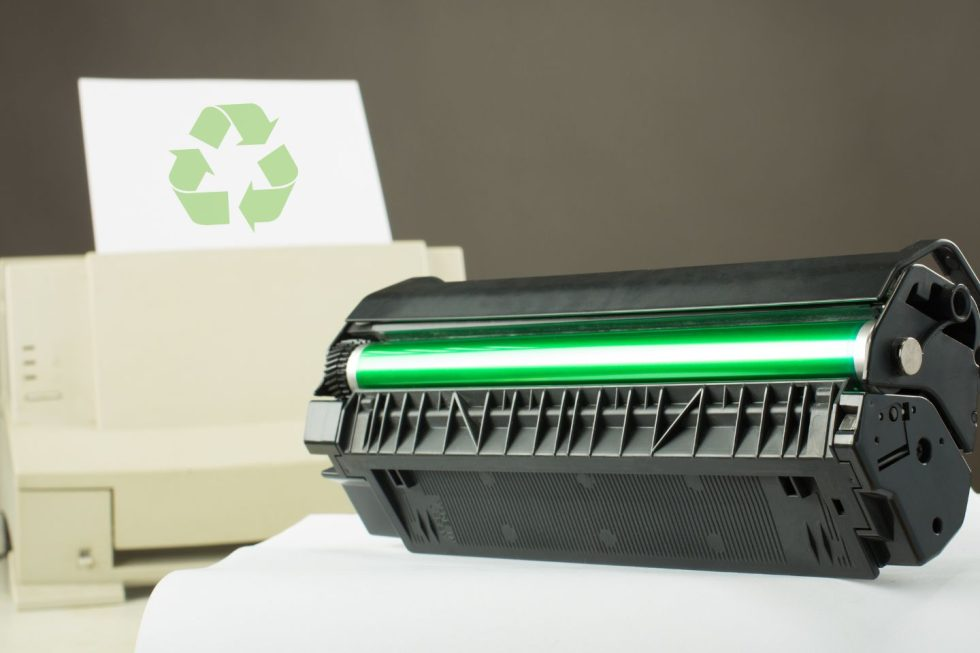
Toner is a dry, ultra-fine powder made of polyester resin particles. Unlike liquid ink, it has no water content, no solvents, and nothing that can evaporate or clog a nozzle. Toner is stored inside a sealed cartridge until the printer calls it into action — because it is completely dry, the toner cartridges used in laser printers remain stable for years without degrading. You will never come back to a laser printer after a month away and find it "gummed up" the way inkjet printers so often do.
Why Laser Printers Cannot Use Liquid Ink
The fuser unit inside every laser printer heats up to around 200 degrees Celsius to bond toner permanently to paper. Liquid ink at that temperature would instantly vaporize, burn, or spread uncontrollably across the page. The chemistry of laser printing demands a dry, heat-stable medium — and toner is engineered specifically for that role. This is not a design limitation; it is the whole point of how laser printing works.
How a Laser Printer Actually Works
To understand why toner is the right choice here — and why no alternative works — it helps to walk through what happens inside the printer from the moment you press print to the moment the page comes out.

Step 1 — The Drum Gets Charged
A cylindrical component called the photosensitive drum receives a uniform negative electrical charge from a corona wire or charge roller. This charge makes the drum surface ready to attract toner particles in very precise patterns.
Step 2 — The Laser Draws the Image
A laser beam scans across the drum and selectively neutralizes the electrical charge in the exact areas that correspond to text or images. Those neutralized zones form a near-invisible electrostatic blueprint of the page you want to print.
Step 3 — Toner Adheres to the Drum
Positively charged toner particles are released from the cartridge. They are attracted to the neutralized areas on the drum — clinging only where the laser has drawn the image. The rest of the drum, still negatively charged, repels the toner. The result is a precise toner pattern on the drum's surface.
Step 4 — Toner Fuses Onto Paper
The paper passes beneath the drum and picks up the toner pattern. It then passes through the fuser unit — a pair of heated rollers that melt the toner particles and press them permanently into the paper fibers. The page exits dry, smudge-proof, and ready to handle immediately. No liquid ink, no waiting for anything to dry.
Does a HP LaserJet Printer Use Ink?
This is one of the most common sources of confusion in the printer world. The HP LaserJet name has been around for decades, and many buyers are not sure whether it refers to an inkjet machine or something different. The answer is definitive: HP LaserJet is a laser printer, and it uses toner cartridges — not ink cartridges.
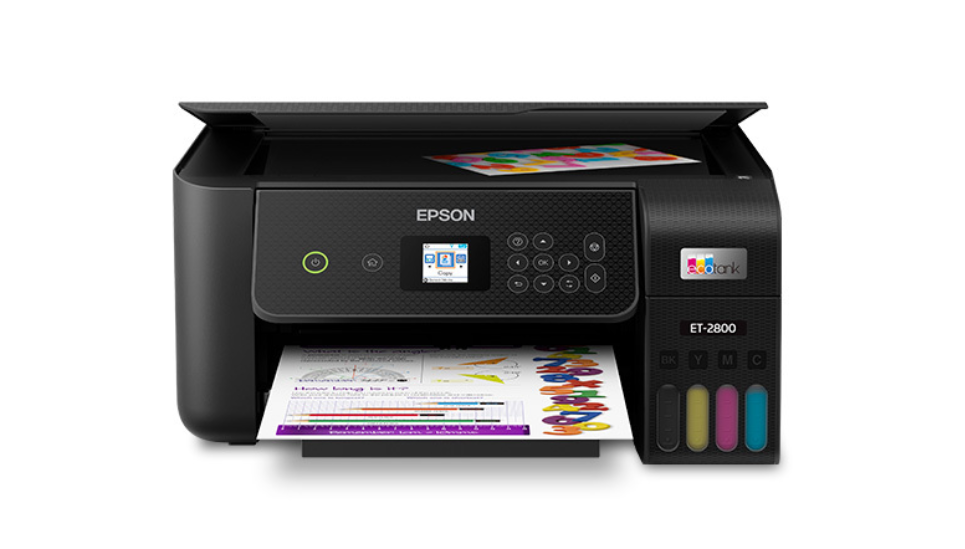
The confusion usually happens because HP also sells inkjet printers under names like OfficeJet, DeskJet, and ENVY. All of those run on liquid ink. If you have a LaserJet, you need toner. If you have an OfficeJet or DeskJet, you need ink. The table below shows exactly where each HP product line falls.
|
HP Product Line |
Printer Type |
Uses What? |
|
HP LaserJet |
Laser printer |
Toner cartridge |
|
HP Color LaserJet |
Color laser printer |
Toner cartridge (CMYK) |
|
HP OfficeJet |
Inkjet printer |
Ink cartridge |
|
HP DeskJet |
Inkjet printer |
Ink cartridge |
|
HP ENVY |
Inkjet printer |
Ink cartridge |
|
HP Smart Tank |
Inkjet (EcoTank-style) |
Bottled ink |
The HP LaserJet family — across all its models and sizes — is laser-based and requires toner cartridges. Only the OfficeJet, DeskJet, ENVY, and Smart Tank lines use liquid ink. If you are unsure which you have, check the model name on the front of the machine.
Toner vs Ink — What Is the Real Difference?
The distinction between toner and ink goes well beyond their physical form. It shapes how much you spend per page, how often you replace supplies, how fast the printer works, and what kinds of documents it handles well. The comparison below covers the factors that matter most for everyday printing decisions.
|
Criteria |
Toner (Laser) |
Ink (Inkjet) |
|
Physical form |
Dry polyester powder |
Liquid (dye or pigment) |
|
Dries out when unused? |
Never |
Yes — nozzles can clog |
|
Cost per B&W page |
~$0.01 – $0.03 |
~$0.05 – $0.15 |
|
Pages per cartridge |
1,500 – 10,000+ |
200 – 500 (standard) |
|
Text print quality |
Very sharp and crisp |
Good, but softer edges |
|
Photo/color quality |
Acceptable |
Superior for photos |
|
Print speed |
Fast (20–40 ppm) |
Slower (5–15 ppm) |
|
Initial machine cost |
Higher upfront |
Lower upfront |
|
Best for |
Documents, text, office |
Photos, color graphics |
What About the Toner Cartridge vs. the Drum Unit?
Users who are new to laser printing often encounter two separate products at the store — a toner cartridge and something called a drum unit — and are not sure what each one does or whether they need both.

The toner cartridge holds the toner powder. It is what you replace when the printer reports low toner. The drum unit, also called a photosensitive drum or drum cartridge, is the component that receives the laser charge and transfers the toner image onto paper. The drum does not run out of powder — it wears out over time from repeated use.
In practice, many Brother and Canon models sell these two components separately. The toner cartridge needs replacing roughly every 1,500 to 3,000 pages for standard yield, while the drum unit typically lasts through three to five toner replacements before it needs changing. HP LaserJet cartridges, by contrast, usually integrate the drum into the toner cartridge itself — so every time you replace the toner, you are also replacing a fresh drum. This design costs more per cartridge but simplifies maintenance.
Should You Get a Laser Printer? A Practical Decision Guide
Knowing that laser printers use toner rather than ink is useful background — but the question most people actually want answered is whether a laser printer is the right fit for their specific situation. The answer depends on how you print, how often, and what you are printing.
|
Your Situation |
Recommended |
Reason |
|
You print text docs, emails, or reports regularly |
Laser printer |
Low cost per page, fast, toner never dries out |
|
You need high-quality color photos at home |
Inkjet (or EcoTank) |
Laser cannot match inkjet for photo-quality color |
|
You print infrequently — a few times per month |
Laser printer |
Toner stays ready even after months of no use |
|
Your upfront budget is tight |
Inkjet (lower purchase price) |
Laser hardware costs more to buy initially |
|
You run a small or home office |
Laser printer (mono) |
Total cost of ownership is lower over 2–3 years |
|
You're a student printing mostly assignments |
Laser printer (mono) |
Reliable, low cost per page, low maintenance |
|
You print marketing brochures or presentations |
Color laser or inkjet |
Depends on color accuracy needed |
Frequently Asked Questions
Below are the questions buyers most commonly ask when researching laser printers and toner for the first time.
Q: Does a laser printer need ink to print?
No. Laser printers use toner — a dry powder — instead of liquid ink. You do not need to buy any ink cartridges for a laser printer.
Q: Can I use ink in a laser printer?
No. Liquid ink would be destroyed immediately by the high heat inside a laser printer's fuser unit and could cause serious damage to internal components. Laser printers must only be used with toner cartridges designed for that specific model.
Q: Does toner dry out the way ink does?
No — this is one of the most significant advantages of laser printing. Toner is a dry powder and has nothing in it that can evaporate or solidify into a clog. A laser printer can sit unused for months and still produce a perfect print on the first try. Inkjet printers cannot match that reliability.
Q: How long does a toner cartridge last?
A standard-yield toner cartridge prints roughly 1,500 to 3,000 pages. High-yield cartridges for the same printer can reach 6,000 to 10,000 pages or more. Stored properly in a cool, dry place away from direct sunlight, an unopened toner cartridge remains usable for two to three years.
Q: Is a laser printer cheaper to run than an inkjet?
Yes, for most printing needs. The cost per black-and-white page on a laser printer typically falls between $0.01 and $0.03. Standard inkjet cartridges often cost $0.05 to $0.15 per page. Over the course of a year of regular printing, a laser printer can save several hundred dollars in supply costs alone. The laser printer itself costs more upfront, but the lower operating cost usually makes up the difference within the first year.
Q: Does the HP LaserJet use ink cartridges?
No. Every printer in the HP LaserJet family uses toner cartridges, not ink. If a store associate or listing mentions ink for a LaserJet, that is an error. The HP OfficeJet, DeskJet, and ENVY lines are the inkjet models that require liquid ink cartridges.
Q: What is compatible toner, and is it safe to use?
Compatible toner cartridges are made by third-party manufacturers to work in the same printers as OEM (original equipment manufacturer) cartridges. Quality compatible toner from a reputable supplier will produce comparable print results at a lower cost per cartridge and will not void your printer warranty under US law (Magnuson-Moss Warranty Act).
The Bottom Line
Laser printers do not use ink — they use toner, and that distinction has real consequences for your running costs, your maintenance time, and the reliability of your machine. Toner never clogs, never dries out, and costs a fraction of what liquid ink does per page. For anyone who prints regularly and wants a machine that just works without fuss, a laser printer with quality toner cartridges is a sound long-term investment.
Ready to Switch to Laser?
Browse printers, HP toner, Canon toner, and more at DealJustDeal — with free shipping on all orders and competitive prices on OEM and compatible toner cartridges for every major laser printer brand.